 Briefcast™
Your read-later pile, organized and read to you
Save an article with one tap. Your iPhone summarizes it, files it by topic, and reads it to you in a natural voice: offline, free, and without an account.
iPhone 15 Pro or newer · iOS 26 or later · via TestFlight
Summaries by Apple Intelligence
Apple's own model, running on the Neural Engine in your phone.
A real neural voice
Generated on your device's GPU, not a robotic system voice, and not a stream from someone's server.
Offline, no account
Keeps working in airplane mode. There is nothing to sign up for.
The vault
It's where your reading lives
Save from Safari, Apple News, Mail: anything with a share sheet. Briefcast pulls out the actual article, without the ads, the cookie banners or the newsletter pop-up, and keeps it. One place, always with you.
Save thousands of articles: the whole library takes up less room on your phone than a few downloaded podcast episodes.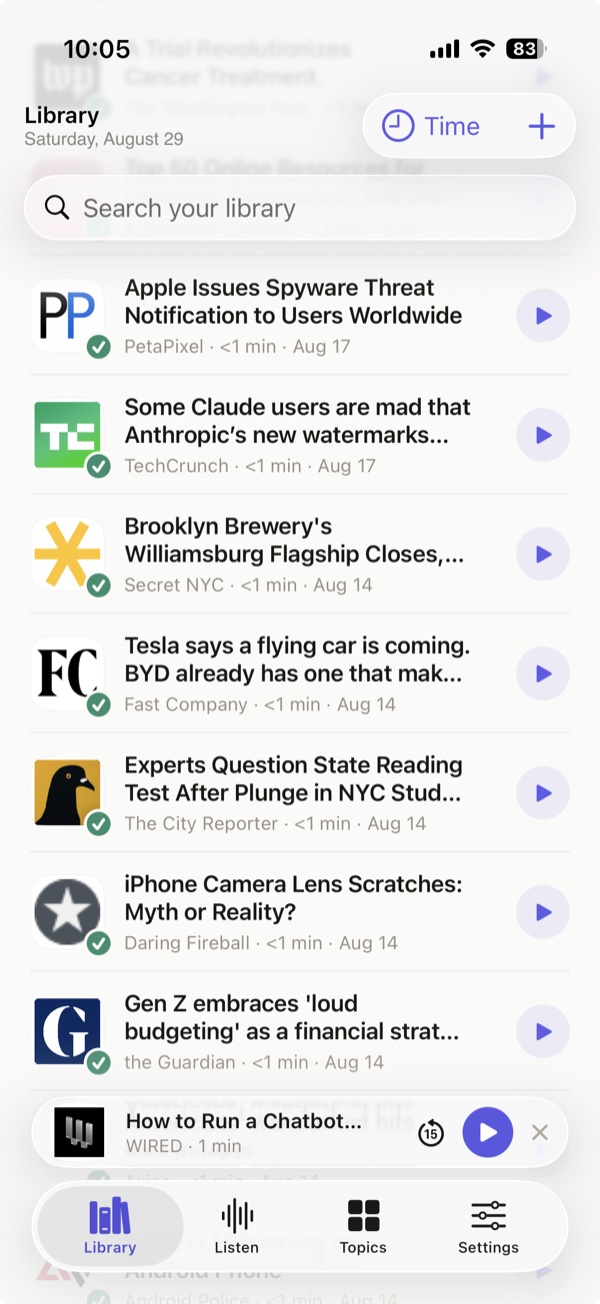
No filing
Organized automatically
Every save is read, summarized and filed under a topic without you lifting a finger. Each topic tells you how long it would take to listen to the whole thing.
You never make a folder, never add a tag, and never tidy up.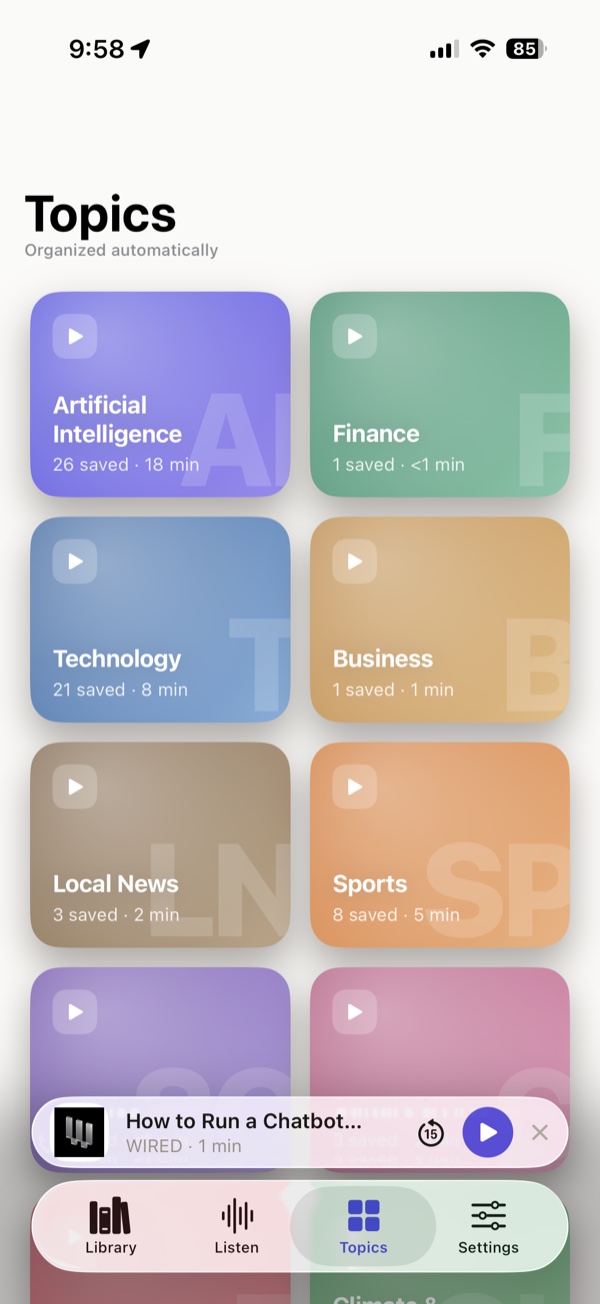
The signature feature
Tell it how long you've got
Five minutes, twenty, an hour. Briefcast builds a queue that fits the gap exactly: the walk to the station, the commute, the washing up. When the gap ends, so does the queue.
Most apps hand you a playlist. This one gives you the twenty minutes you've actually got.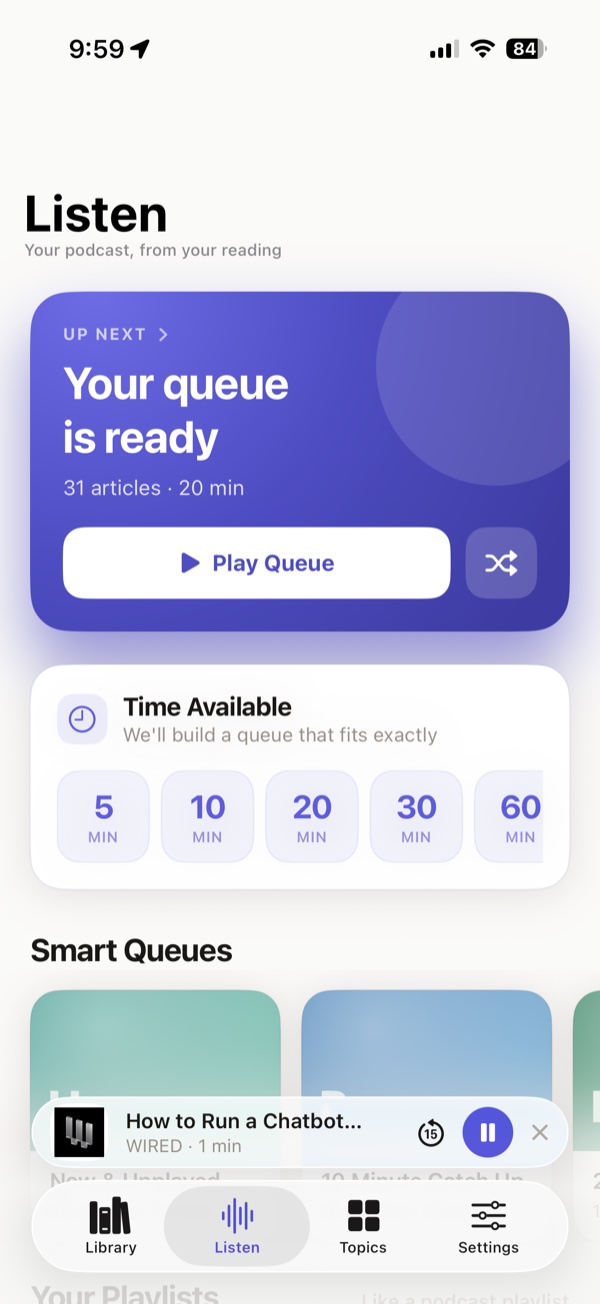
Here's what it sounds like
The same saved article, as a short briefing or the full read. Both generated on the phone: nothing streamed, nothing downloaded, and nothing to subscribe to.
Welcome to Briefcast
0:00Summary · Calm0:25
On-device
Your iPhone can already do this
You spent a great deal of money on this phone, and you probably use a fraction of what it can do. Briefcast is one of the few apps where you can actually feel the hardware working for you.
Apple Intelligence writes the summaries
Apple's own foundation model, running on the Neural Engine: the same silicon that powers the rest of the phone's intelligence features.
The GPU generates the voice
A neural text-to-speech model runs locally, producing audio as you listen. Nothing is downloaded and nothing is rendered on a server.
Your reading stays on your phone
Articles, summaries and audio are processed and stored on the device. No account, no upload, and it all keeps working in airplane mode.
| Briefcast | Cloud narration apps | |
|---|---|---|
| Cost to press play | Free | Subscription |
| Where your articles go | Stay on your phone | Uploaded to their servers |
| Listening offline | Just works. Audio is generated on demand | You must download each article first |
| Account | None needed | Required |
| Storage for 1,000 articles | About 30 MB of text | Gigabytes of cached audio |
Before you sign up
What this is, and isn't
- It's a betaBriefcast is on TestFlight, not the App Store. Expect rough edges and tell us about them.
- iPhone 15 Pro or newerApple Intelligence needs the newer chip. On older phones the summaries are much weaker.
- iPhone onlyNo iPad app, no Android, no web version.
- English onlyNo other languages yet.
- It's freeThere's no paid tier and nothing to buy.
- Analytics, honestlyYour articles, summaries and audio stay on the phone. The app does send anonymous usage and crash data, which you can switch off.
Start listening to the pile
Join the beta, and we'll send you the TestFlight link straight away.
iPhone 15 Pro or newer · iOS 26 or later · via TestFlight